Last Tuesday, I watched a team spend 20 minutes trying to figure out where to save a single file.
“Should we put it in Teams?”
“Or SharePoint?”
“Wait, isn’t this OneDrive?”
“Hang on… isn’t Loop for collaboration now?”
Four people. One document. Twenty minutes of confusion.
And they had absolutely no idea that every tool they were debating—Teams, SharePoint, OneDrive, Loop—was part of the same integrated system.
It reminded me of something I hadn’t thought about for years.
Does anyone remember Microsoft Works?
I started working with Microsoft products over 30 years ago, and my very first experience with an “integrated productivity system” was Microsoft Works back in 1991.
If you used it, you’ll remember:
- One interface
- A word processor
- A spreadsheet
- A little database
- All designed to work together
And importantly—it was taught as an integrated system.
Not “here is a word processor”
then
“here is a spreadsheet”
then
“here is a database.”
It was… one experience. One ecosystem.
And back then? It made sense.
Fast forward to today, and Microsoft 365 is the most powerful, integrated collaboration system Microsoft has ever built—but the one thing missing is the thing they got right with Works:
Nobody is teaching it as an integrated system.
The Integration Nobody Talks About
Here’s what most people still don’t know:
When you upload a file to Teams
→ It’s actually stored in SharePoint.
When you share a file from OneDrive
→ You’re using SharePoint permissions.
When you create a Loop component
→ It can live in Teams, Outlook or SharePoint.
When you co-author a Word document
→ SharePoint manages the version history.
Microsoft 365 is an ecosystem, not a collection of apps.
But because this isn’t obvious, people treat each tool as a silo. And that’s where the chaos starts.
What’s Happening in Real Workplaces Right Now
Despite the massive leaps Microsoft has made in the last two years—Loop everywhere, deeper Teams + SharePoint integration, Copilot pulling context across your entire tenant—most teams are still working like it’s 2019.
- Saving files to Teams without knowing where they go
- Creating OneDrive folders instead of using shared libraries
- Emailing attachments instead of sharing links
- Duplicating files across tools
- Using Loop like it’s optional
None of this is their fault. They’ve never been taught how the system works together. And that confusion has a cost.
Let me give you an example.
A client of mine, Sarah, spent 45 minutes trying to find a proposal her team worked on months earlier. She searched Teams her email, OneDrive, her laptop and then asked colleagues. Eventually, she found it… buried in a SharePoint library she didn’t know existed.
She had the tools. She just never learned the system. And honestly? Sarah is not the exception. She’s the norm.
The Microsoft 365 Ecosystem (Explained Properly)
Here’s the simplest way to think about the modern Microsoft 365 experience:
SharePoint = The foundation
The storage engine. The version history. The permissions framework.
Teams = The collaboration interface
The conversations, co-authoring, meetings, channels and context.
OneDrive = Your personal SharePoint
Drafts. Private work. Your in-progress content.
Loop = The dynamic layer
Shared components that stay updated across every app.
Copilot = The intelligence layer
But only works if your content is organised across the ecosystem.
When you understand this, Microsoft 365 stops feeling like “too many apps” and starts feeling like a unified workplace.
The problem is that nobody ever explains it this way.
So I Built the Thing That Microsoft Hasn’t
After 30+ years using Microsoft tools (and seeing the same patterns repeat), I created the resource I wish every organisation had:
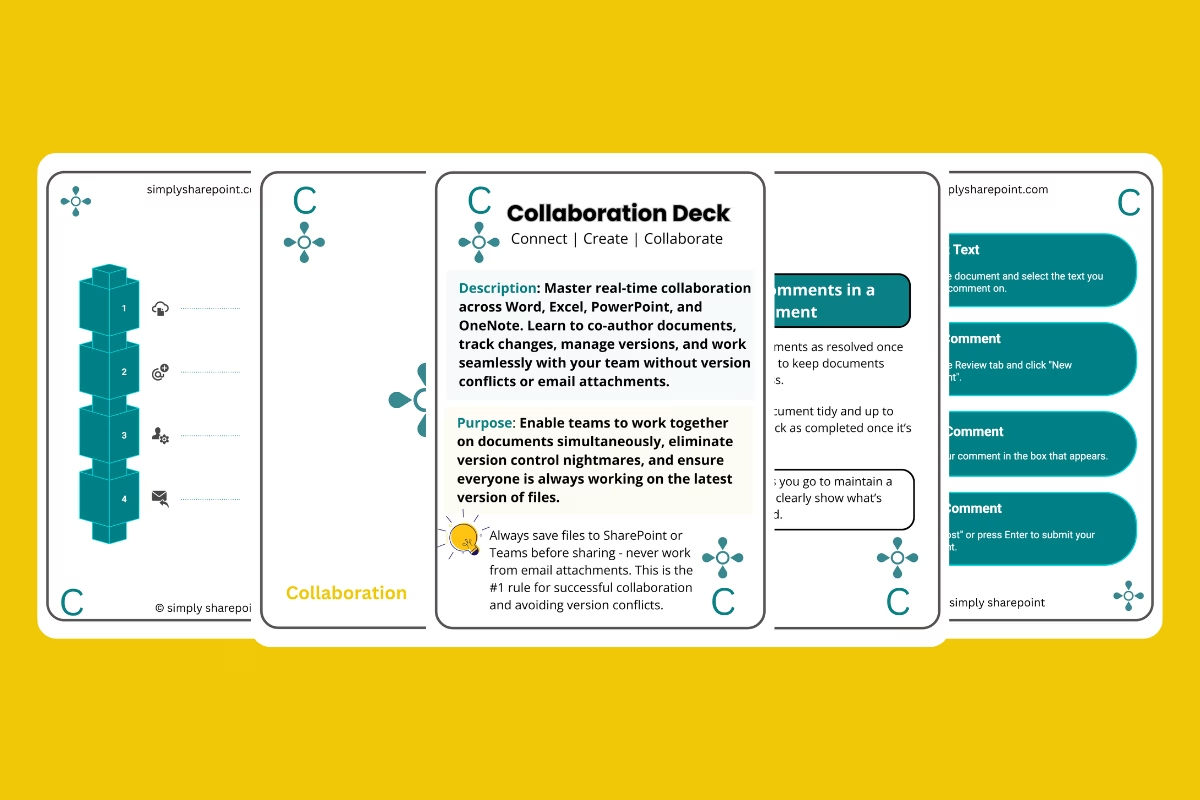
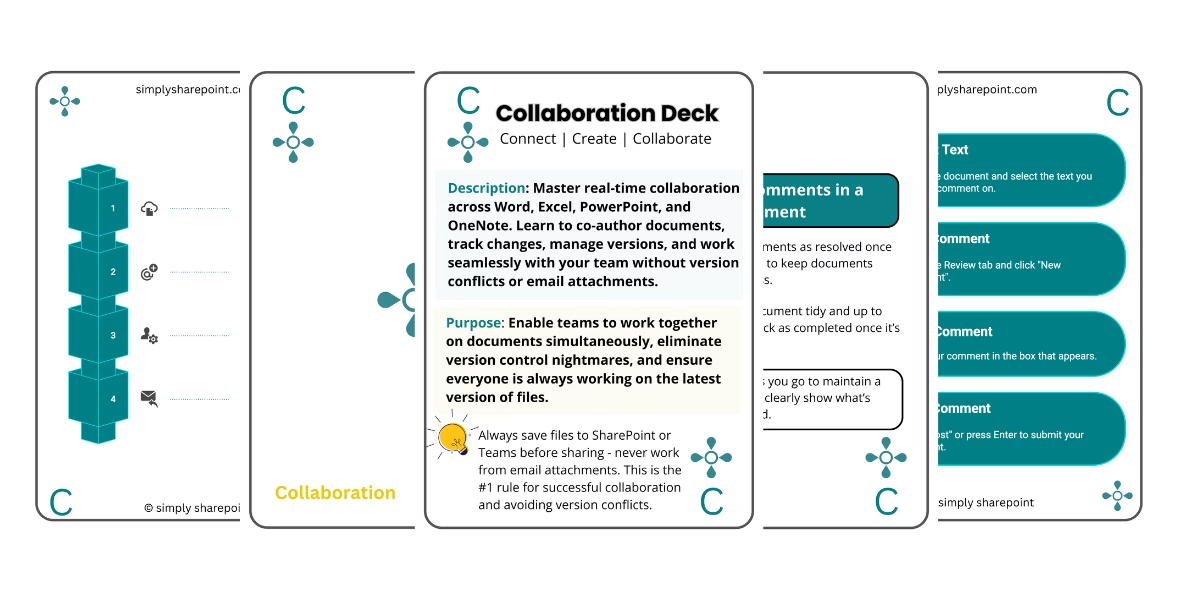
The Microsoft 365 Collaboration Workflow Cards
Each card teaches one real-world scenario—exactly how Microsoft 365 was designed to work:
- Collaborating on a document in real time
- Working with external partners
- Managing comments and tracked changes
- Using Loop to replace endless copy-paste
- Understanding where files actually live in the ecosystem
Front of the card: visual workflow
Back of the card: exact clicks, best practices, what to avoid.
It’s the integrated training Microsoft never gave us.
And it solves the exact confusion modern workplaces are drowning in.
New: Microsoft 365 Collaboration Workflow Cards
Thirty visual workflow cards covering real-time collaboration, versioning, external sharing, Loop components and more. A practical reference your team can use every day.
Introductory launch price: $27 (regular price $37)
Get the Collaboration DeckWhy This Matters
Microsoft 365 is only getting more integrated. There’s Copilot, Loop, Teams 3.0, SharePoint Embedded in everything and Cross-app intellience.
The future of productivity is a connected ecosystem.
The teams who understand this now will move faster, waste less time, and avoid the digital chaos we see in most organisations.
The teams who don’t? They will keep losing files, duplicating work, and fighting tools that were meant to make life easier.
Over to You
If you remember Microsoft Works, you already know the magic of a system designed to work together. We finally have that again—just on a much bigger, more powerful scale. The only thing missing is the training. And that’s exactly what these workflow cards were built to fix.
If you want to teach your team the modern Microsoft 365 ecosystem—the way it was meant to be used—start here with the Collaboration Deck.
Start With the Collaboration Deck
Thirty workflow cards covering real-time collaboration, version control, external sharing, Loop components and more. Your quick-reference companion for using Teams, SharePoint, OneDrive and Loop the right way.
Introductory launch price: $27 (regular price $37)
Get the Collaboration DeckWhat’s Next
This Collaboration Deck is just the beginning. Over the next few weeks, I’m rolling out a complete series of workflow card decks designed to teach Microsoft 365 the way it was meant to be taught: as an integrated system.
Here’s the release timeline:
- Week 1: Collaboration Deck (available now)
- Week 2: Sharing & Permissions Deck
- Week 3: Organisation & Metadata Deck
- Week 4: Teams & Meetings Deck
- Week 5: Document Lifecycle Deck
- Week 6: Productivity & Workflows Deck
- Week 7: Navigation & Access Deck
Each deck follows the same structure: one workflow per card, a visual diagram on the front, and clear step-by-step instructions on the back. Simple. Practical. Integrated.
You’ll also soon be able to order the full collection in print form—a physical set your team can keep on their desks as a daily reference. That’s coming soon.
But the best place to begin is right here. Download the Microsoft 365 Collaboration Workflow Deck today, get the PDF instantly, and start using the workflows that will completely change how you work across Teams, SharePoint, OneDrive and Loop.
Get the Collaboration Deck
Hi, I’m Liza 👋
I’ve been working with SharePoint since 2005, and nothing excites me more than diving into a messy SharePoint environment and transforming it into something streamlined and intuitive.
I created Simply SharePoint to share practical, real-world advice for end users, managers, and teams who need more than just basic tutorials. My focus is on information architecture, out-of-the-box solutions, and making Microsoft 365 work the way it should—without the jargon.
When I’m not fixing SharePoint chaos, you’ll find me exploring the city with my daughter, enjoying live music, or indulging my passion for fashion and bold color (which you might notice in my brand!).
Ready to make SharePoint make sense? Get my free Quick Start Guide and join 1,000+ professionals learning inside Simply SharePoint.
Get the Free Quick Start Guide →