In the previous post in the SharePoint at 25 series, we tackled one of the longest-running debates in SharePoint history: folders versus metadata. If you missed that discussion, it’s worth reading first because it explains how structure, classification, and design all work together in modern SharePoint.
📖 Read:
SharePoint at 25 – Folders and Metadata
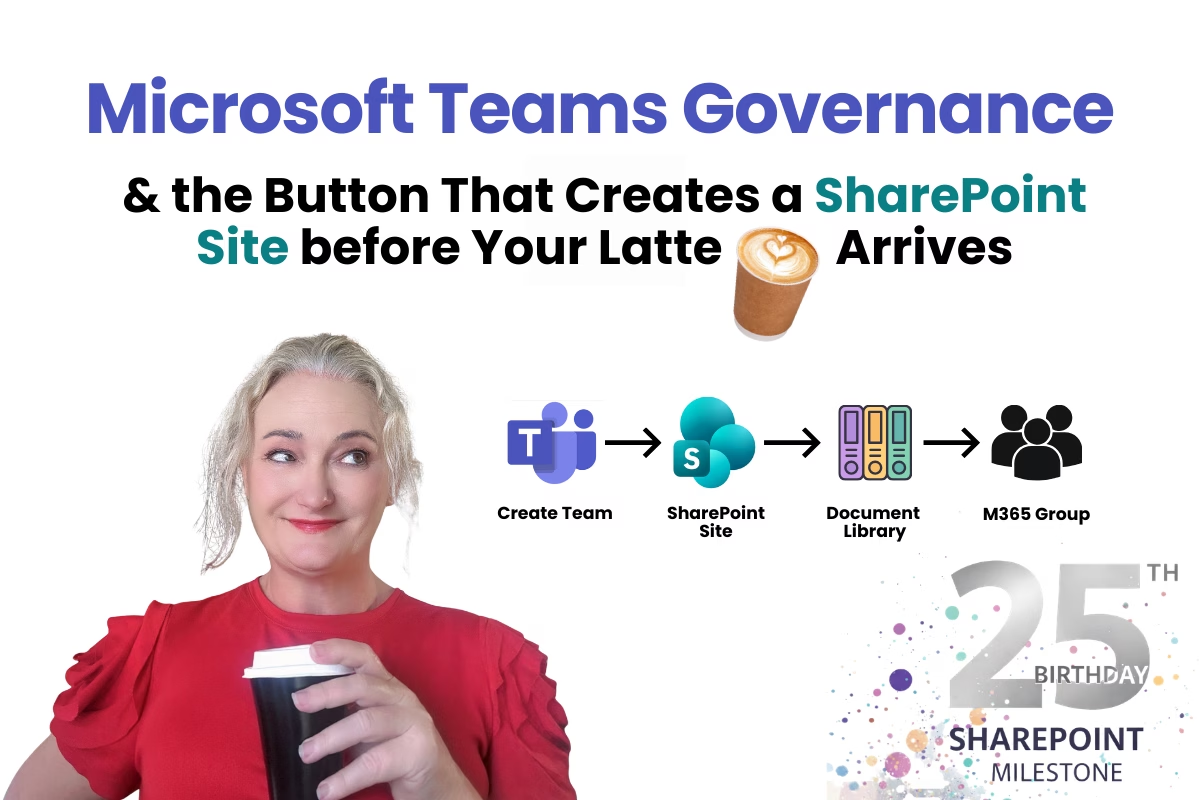
Today we’re moving into something that has quietly become the biggest structural driver in Microsoft 365 environments: Microsoft Teams. Or more specifically, what happens when someone clicks Create Team. Because nothing says carefully designed structure quite like a one-click button that spins up a fully provisioned SharePoint site before you’ve finished your morning latte.
The One-Click Provisioning Problem
Twenty-five years into SharePoint, we’ve learned a lot about how information should be organised. We’ve learned that governance documents don’t fix messy environments. We’ve learned that folders and metadata both have their place. And we’ve learned that structure matters far more than policy.
But there’s one feature in Microsoft 365 that quietly bypasses all of those lessons in about three seconds: the “Create Team” button.
Click it once and, before you’ve finished your morning latte, Microsoft 365 has already spun up a Microsoft Team, a SharePoint site, a document library, a Microsoft 365 group, a Planner board, a OneNote notebook, permissions and membership rules, and a set of default folders and channels.
It’s incredibly powerful. And it’s also one of the biggest drivers of SharePoint sprawl in modern organisations. Which is why the conversation about Teams governance is really a conversation about SharePoint architecture.
Teams Governance Isn’t Actually About Teams
When organisations talk about Teams governance, the discussion usually focuses on things like naming conventions, who can create Teams, guest access, and retention policies. Those things absolutely matter, but they’re not the real issue.
Every time someone creates a Team, they’re not just creating a collaboration space. They’re creating a fully provisioned SharePoint site.
If that site has no structure, no information architecture, and no clear purpose, the problems appear very quickly. Organisations start seeing multiple Teams for the same project, duplicate document libraries, content scattered across channels, permissions that nobody understands, and search results showing multiple versions of the same document.
None of this is really a Teams problem. It’s a design problem.
The Real Governance Question
The real governance question isn’t “Should users be allowed to create Teams?” The real question is what structure is created when they do?
Governance isn’t about restricting collaboration. It’s about ensuring that the systems people create are predictable, understandable, and scalable.
In many organisations today, Teams creation effectively works like this: provision first, design later, fix the mess eventually. If we’re honest, most organisations never get to that third step.
What Actually Happens When a Team Is Created
When someone clicks Create Team, Microsoft 365 quietly provisions several services in the background. The most important one from an information architecture perspective is the SharePoint team site that is created automatically.
Inside that site you get a document library, which immediately becomes the storage location for collaboration files. Channel conversations, uploaded documents, meeting recordings, and shared files all start landing there.
That means the moment a Team is created, your information architecture has already started, whether you planned it or not.
The Teams Explosion Problem
In the early days of SharePoint, the biggest problem was deep folder structures on file servers. Today the problem looks slightly different. It’s too many sites.
Every Team creates a site. Every project spins up another Team. Departments create their own workspaces. Before long, organisations end up with hundreds of Teams, hundreds of SharePoint sites, thousands of document libraries, overlapping permissions, and content scattered across multiple environments.
Search becomes noisy. Documents get duplicated. And nobody is entirely sure where things should live anymore.
That’s usually the moment organisations start talking about governance. But again, governance isn’t a document. It’s design.
Governance as System Design
If you’ve followed the earlier posts in this series, you’ll recognise the pattern here. Governance works best when it’s built into the system itself, not written in a PDF and not buried in a policy document.
Instead, it’s embedded directly into how the platform behaves.
For Teams, that usually means making a few structural decisions early: what types of Teams should exist, when a Team should be created versus a SharePoint site, how Teams should be named, how long they should live, and what structure exists inside the SharePoint site behind the Team.
These decisions don’t restrict collaboration. They shape it.
Teams Is Really a SharePoint Conversation
One of the biggest misunderstandings I see is organisations treating Teams and SharePoint as separate platforms. They’re not.
Teams is simply the interface people use to collaborate. SharePoint is the platform storing and structuring the content underneath it.
So when someone says “Our Teams environment is messy,” what they’re usually describing is poorly structured SharePoint sites, document libraries without metadata, channels becoming accidental information architecture, and content duplicated across multiple Teams.
In other words, a SharePoint design problem.
Channels Are Not Information Architecture
Another common trap is letting channels become the structure for documents. A Team might end up with channels like Finance, Marketing, Contracts, Reporting, and Approvals.
At first this feels organised, but each channel creates a folder inside the SharePoint document library. Over time the structure slowly becomes Channel → Files → More folders → More duplication.
Eventually users start asking questions like “Should this file go in the Marketing channel or Reporting?” or “Should it live under Finance or Contracts?”
And suddenly you’re right back in the folders vs metadata debate we discussed in the previous post.
Channels were never designed to carry the entire information architecture of a system. They are collaboration spaces, not classification systems.
Designing Teams Environments Properly
A well-designed Teams environment usually starts with a simple question: what does this Team represent?
Common patterns include department Teams, project Teams, program Teams, leadership Teams, and temporary initiative Teams.
Once that purpose is clear, the SharePoint site behind the Team can be structured properly. That might include clear document libraries, metadata for key content types, defined permissions, and retention and lifecycle rules.
Instead of every Team starting as an empty container that grows randomly over time.
Copilot Will Surface These Problems Quickly
The arrival of AI tools like Copilot will make these issues much more visible. Copilot doesn’t navigate messy environments the way humans do. It works with signals, structure, and context.
If your organisation has duplicate Teams for the same topic, multiple versions of the same document, or poorly structured libraries, Copilot won’t magically fix that. It will simply surface the confusion faster.
Which is why AI readiness is really architecture readiness.
The Governance Model That Actually Works
The most effective Teams governance models are usually much simpler than people expect. Instead of controlling every action users take, organisations focus on designing predictable patterns.
That might include standard Team types, consistent naming conventions, defined lifecycle rules, and structured SharePoint libraries behind Teams.
This gives people the freedom to collaborate while keeping the environment coherent and scalable. Most importantly, it aligns governance with how people actually work.
The Bigger Picture
When SharePoint launched 25 years ago, the main challenge was organising documents on file servers. Today the challenge is organising collaboration environments.
Teams, SharePoint, OneDrive, and Copilot are all part of the same ecosystem. Which means governance can’t be treated as a separate activity anymore. It has to be part of how the system is designed from the beginning.
Because once hundreds of Teams exist, the architecture already exists—whether you designed it or not.
FREE: Download the M365 Map – the visual guide to how content should be organised.
Download the M365 Map
Hi, I’m Liza 👋
I’ve been working with SharePoint for nearly two decades, across consulting and in-house roles, helping organisations design, clean up, and scale their Microsoft 365 environments.
My focus is information architecture — the unglamorous but critical layer that determines whether search works, governance sticks, and tools like Copilot help… or quietly make things worse.
Through Simply SharePoint, I share practical, real-world guidance on structuring libraries, designing metadata, managing permissions, and fixing the kinds of issues that naming conventions, policies, and “best practice” slides never really solve.
Everything here is based on how SharePoint is actually used — not how we wish it was used — with a strong emphasis on foundations that scale and hold up in the AI era.