
SharePoint 25th Birthday Series — Post 3
As SharePoint approaches its 25th birthday, I’ve been using this series to revisit the habits we’ve carried forward and whether they still make sense in a modern environment. We’ve already talked about naming conventions. We’ve talked about governance living in design. Now we’re tackling one of the most debated topics of all: folders and metadata. And if you listened to the podcast episode that goes with this post, you’ll know I’m not taking an extreme position. Because the debate itself is usually framed incorrectly.
FREE: Download the M365 Map – the visual guide to how content should be organised.
Download the M365 MapThe Debate Is Framed Wrong
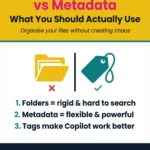
The conversation is often presented as either/or. Either you use folders or you use metadata. Either you’re modern or you’re outdated. Either you’re structured or you’re chaotic. That framing is the problem. Folders are not inherently wrong. They were never the enemy. They were the foundation of file servers for decades, and for good reason. They provided containment. They created boundaries. They made sense to people. The issue isn’t that folders exist. The issue is when folders become the entire structure.
On file servers, folders had to carry everything. Document type. Status. Version. Department. Context. The only way to classify something was to put it somewhere. So we built hierarchies that got deeper and deeper. Over time, that structure became rigid and fragile. Permissions broke. Navigation became confusing. Duplication increased. And finding information depended on knowing exactly where someone else decided to put it.
What Metadata Changed
SharePoint changed that. Metadata introduced the ability to describe information rather than just locate it. Instead of forcing content into a single path, you could assign attributes to it. A document could belong to a project, have a status, be tied to a document type, and sit within a department — all without being buried five levels down. That flexibility is powerful.
But here’s where people misunderstand my position. I do use folders. I just don’t use them as the primary intelligence layer.
How I Actually Use Folders
If I’m designing a project library, I may use a top-level folder per project to create a clear visual boundary. That’s practical. It helps users orient themselves. It reduces clutter. It makes sense. What I don’t do is build Project → Phase → Document Type → Status → Year → Final. Because the moment folders are carrying document type, status, and lifecycle, they’re doing the job metadata is designed to do — and they’re doing it poorly.
Metadata allows you to surface content in multiple ways without moving it. Views allow the same library to look different depending on what someone needs. One view might show content grouped by document type. Another might filter by active status. Another might show items modified in the last 30 days. Same content. Different perspectives. Folders can’t do that without duplication or restructuring.
Why the New Library Experience Matters
This is where the new SharePoint document library experience reinforces the shift. Views are now front and centre. That’s not cosmetic. It signals how Microsoft expects modern libraries to be used — through dynamic filtering and grouping, not rigid hierarchy.
The other piece that rarely gets discussed in the folder debate is permissions. Deep folder structures almost always lead to broken inheritance and complicated access models. Once permissions are being managed at multiple folder levels, governance becomes harder to maintain and harder to audit. That fragility doesn’t show up immediately. It creeps in over time. Metadata-driven design, combined with predictable site architecture, reduces that risk significantly. Governance by design, which we discussed in the last post, depends on consistency. Deep, heavily segmented folder trees work against that.
Folders, Metadata and Copilot
Now add AI into the equation. Microsoft Copilot does not navigate folder trees the way humans do. It relies on context, relationships, metadata, and permissions. If meaning only exists in the folder path, AI has less structured signal to work with. If meaning exists in metadata and consistent architecture, AI can interpret and surface content more accurately. This doesn’t mean folders disappear in an AI-ready environment. It means folders stop being the primary classification system.
The Balanced Position
So here’s the balanced position I talked about in the podcast. Folders provide containment. Metadata provides meaning. Views provide experience. Design provides governance. When folders are shallow and intentional, and metadata carries the intelligence, the environment scales. When folders are expected to do everything, complexity eventually wins.
As SharePoint enters its next 25 years, the question isn’t whether folders are allowed. It’s whether your structure reflects how information actually behaves in a modern, AI-enabled workplace. If it doesn’t, the system will show you — and Copilot will amplify it.
Next in the series, we’re moving into Microsoft Teams. Because the real governance and structure conversation doesn’t stop at SharePoint libraries. It extends into how Teams are created, how channels are structured, and how the underlying SharePoint architecture behaves whether people realise it or not.
And that’s where things get even more interesting.
Ready to stop using folders? The Metadata and Structure Guide is the complete system.
Get the Metadata & Structure Guide
Hi, I’m Liza 👋
I’ve been working with SharePoint for nearly two decades, across consulting and in-house roles, helping organisations design, clean up, and scale their Microsoft 365 environments.
My focus is information architecture — the unglamorous but critical layer that determines whether search works, governance sticks, and tools like Copilot help… or quietly make things worse.
Through Simply SharePoint, I share practical, real-world guidance on structuring libraries, designing metadata, managing permissions, and fixing the kinds of issues that naming conventions, policies, and “best practice” slides never really solve.
Everything here is based on how SharePoint is actually used — not how we wish it was used — with a strong emphasis on foundations that scale and hold up in the AI era.


thanks for this article. where do you see document sets in all this?
Author
Document sets absolutely have their place—but only when there’s a clear, specific use case.
My rule of thumb is simple: use a document set when documents are tied to a single project or theme and will always remain connected to it. For example, if I have a collection of learning materials that belong exclusively to one module, I’ll group them in a document set for that module.
However, if those same materials are used across multiple modules, I won’t use a document set. In that case, metadata is the better option.
The key question I always ask is: does this document belong in more than one place? If the answer is yes, I avoid document sets and folders altogether—I’m not a fan of relying on document links or content types to manage that complexity.