
SharePoint 25th Birthday Series — Post 1
Why I’m Starting This Series Here
As SharePoint turns 25 this March, I want to use the lead-up to reflect on what’s actually changed over the years and, just as importantly, what we keep stubbornly holding onto even though it no longer serves us.
This series isn’t about nostalgia. It’s about lessons learned the hard way. And I’m starting with a topic that always makes people uncomfortable: naming conventions.
Let Me Say This Clearly Upfront
Yes, I have documented naming conventions for clients. Yes, I’ve helped put them in place inside solutions. And yes, that’s often because the client specifically asked for them. But here’s the honest truth: I have never relied on naming conventions to make SharePoint work. Not once. Not in more than twenty years of building, fixing, and cleaning up real environments. As we head into an AI-driven world, I think it’s time we stop pretending they’re the answer.
Why Naming Conventions Ever Existed
Naming conventions didn’t appear because people love rules. They appeared because we had no other way to add meaning. In the early days, file servers ruled, folders were everything, search was basic at best, there was no metadata, and there was no structure beyond the path.
Filenames had to carry all the context — document type, version, status, owner, date, department. Filenames became mini databases because they had to, and for a long time, that made sense.
The Problem No One Wants to Admit
Naming conventions don’t scale. Every organisation has a naming convention document, and almost no organisation follows it consistently. That’s not because people are lazy or careless; it’s because the system is fragile by design.
In the real world, files are inherited from someone else, documents are copied, reused and repurposed, teams change, projects evolve, and people are under pressure to just get the work done.
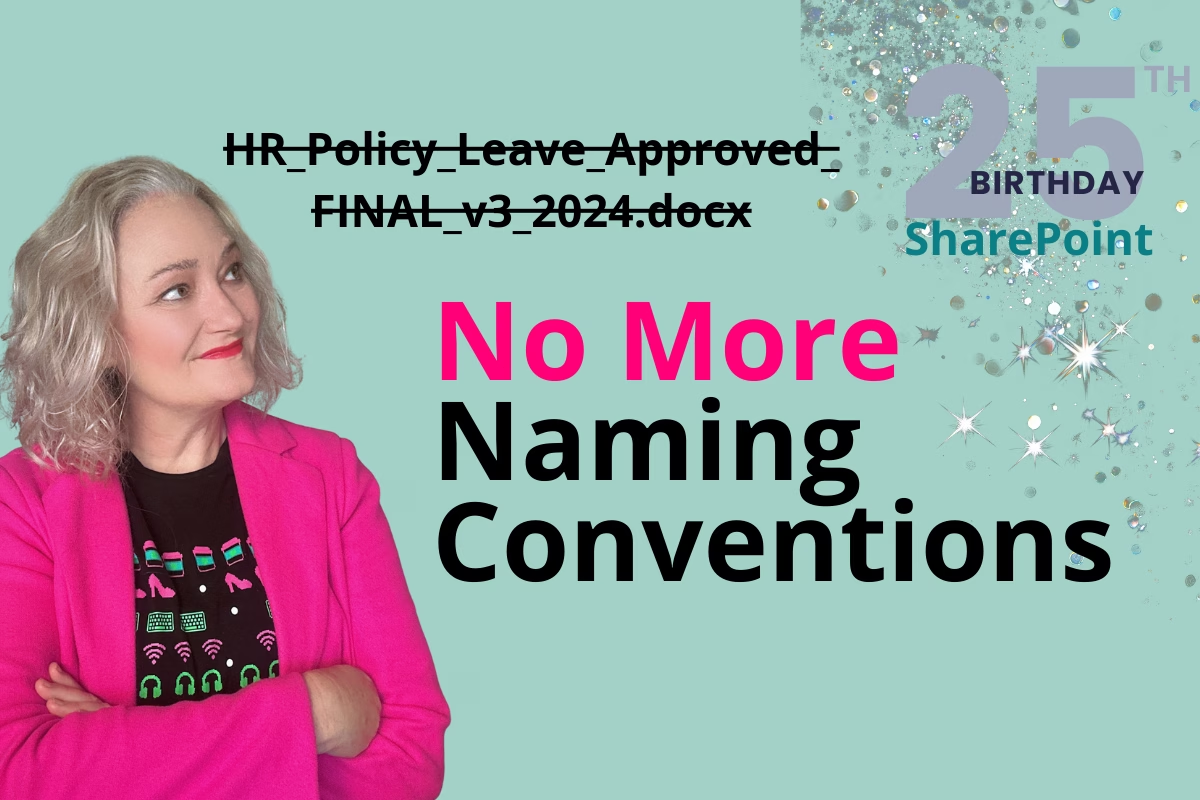
Suddenly you’re staring at FINAL, FINAL_v2, FINAL_v2_REALLYFINAL, or FINAL_APPROVED_USE_THIS_ONE. If your governance depends on every person remembering and applying rules perfectly, forever, it’s already failed.
That’s not governance. That’s wishful thinking.
What Metadata Does That Naming Conventions Never Could
Metadata changed everything, quietly and without much fanfare. Instead of forcing filenames to do all the work, metadata allows you to separate what a file is from what it’s called, apply consistent meaning across thousands of documents, filter, sort, group and automate, enforce rules without relying on memory, and give systems — and now AI — actual context.
A filename might help a human recognise a document, but metadata helps SharePoint understand it, search surface it, automation act on it, retention manage it, and AI interpret it.
That’s not overengineering. That’s using the platform properly.
“But Users Won’t Fill In Metadata”
I hear this in almost every project, and here’s what I’ve learned: users don’t resist metadata, they resist badly designed metadata. Too many fields, poor naming, no defaults, no visible benefit. When metadata is minimal, relevant, mostly choice-based and supported by good views, people barely notice they’re using it.
If your users hate metadata, that’s not a user problem — it’s a design problem.
Why People Are Emotionally Attached to Naming Conventions
This part matters. Naming conventions feel like control. They’re written down, they’re visible, and they give the impression that someone is on top of things. But often, they’re governance theatre. They make us feel safe even when they don’t actually work. Letting go of them feels risky because it means trusting the platform instead of policing behaviour.
But What About Auditors?
Auditors don’t require naming conventions. They require clarity, consistency, traceability, and control. In modern SharePoint, metadata, version history, permissions, retention labels, and audit logs provide all of that far more reliably than a filename ever could.
If your compliance or audit position depends on people naming files perfectly, that’s a risk — not a control.
This isn’t about removing structure. It’s about using structure that actually holds up under scrutiny.
The AI Reality Check We Can’t Avoid
This is where the conversation changes. AI doesn’t read files like humans do. It doesn’t infer meaning from something called FINAL_APPROVED_2024_USE_THIS_ONE.docx. It needs clear signals, consistent structure and reliable context — and filenames are one of the weakest signals we can give it.
If your AI strategy depends on people naming files perfectly, you don’t have an AI strategy. You have a hope. Metadata, structure, permissions and currency are what AI can actually work with.
What I Recommend Instead
I’m not advocating chaos. I’m advocating better structure. My real-world approach is simple: keep filenames human-readable, use minimal but meaningful metadata, build governance directly into libraries and solutions, and rely on views and defaults instead of folder gymnastics or people remembering rules.
In practice, that means a file called Leave Policy sitting in the right library, with metadata like Document Type set to Policy, Function set to HR, and Status set to Approved, rather than a filename trying to encode all of that context.
It also means a document called Risk Register that’s surfaced through views based on Project, Status, and Ownership, instead of relying on prefixes, suffixes, or version numbers in the name.
The filename helps humans recognise content. Metadata helps systems understand it. Those are two very different jobs, and separating them is what makes SharePoint environments scale without depending on memory or discipline.
Why This Kicks Off the SharePoint 25th Birthday Series
As SharePoint turns 25, this series is about one core idea: the platform evolved, our habits didn’t. AI is forcing us to confront decisions we’ve been avoiding for years — governance, information architecture, metadata, ownership and structure — and naming conventions are just the first domino.
Let’s Talk About This Properly
This post sets the tone for what’s coming next. I’ll be unpacking governance that actually works, why information architecture is invisible until it’s broken, how metadata quietly runs everything, and why AI is exposing every shortcut we ever took.
I’ll also be continuing this conversation in an upcoming podcast episode, because this topic deserves more nuance than a comments section can handle. If this made you uncomfortable, good — that usually means it’s time to rethink how you’re doing things.
Next up: governance isn’t a document — it’s a design decision.
Ready to make SharePoint simpler?
Explore the Simply SharePoint Hub
If this post helped you untangle part of SharePoint, you’ll find more practical guides, templates, toolkits and resources inside the Simply SharePoint Hub. It’s where I keep the downloads and support materials designed to help you clean up, structure and actually use SharePoint with more confidence.
Visit the Simply SharePoint Hub →
Hi, I’m Liza 👋
Microsoft MVP (SharePoint) • Information Architecture Specialist
I’ve been working with SharePoint for nearly two decades, across consulting and in-house roles, helping organisations design, clean up, and scale their Microsoft 365 environments.
My focus is information architecture — the layer that determines whether search works, governance sticks, and tools like Copilot actually deliver value… or quietly make things worse.
Through Simply SharePoint, I share practical, real-world guidance on structuring libraries, designing metadata, managing permissions, and fixing the issues that policies and “best practice” slides never really solve.
Everything here is based on how SharePoint is actually used — not how we wish it was used — with a strong emphasis on foundations that scale and hold up in the AI era.